SPA JumpStart – Architecture – Part 2 | John Papa

John Papa

Evangelist on the loose

SPA JumpStart – Architecture – Part 2

posted by John with 37 comments

Any day now my new beginner level SPA JumpStart course for Pluralsight will be published. In this course I guide you through building a SPA step by step. I start with the new ASP.NET templates and quickly zero in on Hot Towel, my custom SPA template that was built for this course. From there, I break down all the core pieces of a SPA on the client.

While there are many ways to build a SPA, this course focuses on a specific architecture. I could spend days boring you with all of the options and combinations that you can combine into a witches brew to make a SPA. And frankly, that would be a lot of fun, but I highly doubt it would be productive as we’d all be left with no clear idea of where to start or how to proceed. Instead, I decided to pick a solid architecture that works well, has a gentle on ramp, and can be expanded on beyond the basics.

The Client Players

Here is a high level view of the players in the SPA on the client. (Follow the links to each of their NuGet packages)

All of these, except Font Awesome, are part of Hot Towel. They all play an important role in a SPA and many depend on each other.

View Composition and App Life Cycle

It’s a lot easier to build an app when you have a tool that helps you do the simple, yet critical things. In a SPA it’s pretty darn important to be able to show a View, pair it with a ViewModel, and be able to hook into events in the app’s life-cycle. Durandal makes this super simple. You may not have heard of Durandal before as it is a newer player in this field, but it is built by the makers of Caliburn Micro, a very popular MVVM framework for .NET and XAML. It follows convention over configuration, which simply means if you name things certain ways, they just work. Kind of cool :) Of course you can override those conventions yourself too.

Durandal does much more too like helping with modal dialogs, event messaging, and creating custom widgets. But the biggest wins come with helping hook into the app life-cycle and composing your views. It makes very simple work out of these and allows you to focus on your app, not the plumbing. In fact, I rewrote my entire demo app in just a few days using Durandal and was able to reduce the code base considerably, and end up with a more fully featured app. The end result was well worth it and you will see Durandal through my course and as a featured player in Hot Towel.
Data Binding

Data binding makes it easy for your data to flow between your source (ViewModel) and target (HTML Views) on the client. Knockout makes data binding easy. For example, Knockout removes the need for you to write a line of code to read data from your viewmodel and then stuffing it into HTML, and then another line of code to pull it back out of HTML and into your viewmodel when you want to save it. If your View has dozens of data points, you can easily see how valuable Knockout can be to reducing your code base. This binding helps with single data points, arrays, and calculated properties.

<!-- Assume we are bound to the speakerVM -->
<input data-bind="value: firstName" />

If you want to learn more about Knockout, please watch my Knockout course at Pluralsight.

image_3

Routing

Your app is likely to have more than 1 View so it makes sense that you may want to handle paging between those different Views. One of the huge benefits of a SPA is that you keep the app running on the client in the browser, without making a roundtrip for every View change. This makes a solid routing library essential for a SPA. Sammy fits this bill quite nicely, and the good news is that Durandal wraps up Sammy to hide a lot of Sammy’s complexity. I worked hard on putting Durandal through the ringer and provided a lot of feedback on the router because I felt it was a critical piece of a SPA. I am very happy with how easy Durandal has made routing, which follows the same type of code that I built from scratch for my custom router in my intermediate SPA course.

You can set up Views and their routes in a variety of ways. One of the simpler ways is to assume the views and viewmodels are named to match each other (ex: speakers.js and speakers.html) and then add a route like this with router.mapNav:

function boot() {
    router.mapNav('home');
    router.mapNav('details');
    return router.activate('home');
}

Require.js

Organizing your code, separating your JavaScript logic into units of similar roles and responsibilities, managing dependencies, and loading JavaScript files on demand. These are all key features to making your JavaScript app maintainable. How do we do this? I recommend using the Module Pattern (described in my course) and using the Require.js library, which follows the AMD (Asynchronous Module Definition) pattern. Sounds like a mouthful, but really all you need to do is change your code from this

var speakersViewModel = (function (datacontext) {
    var speakers = ko.observableArray();

    var activate = function () {
        return datacontext.getSpeakerPartials(speakers);
    };
    var refresh = function () {
        return datacontext.getSpeakerPartials(speakers, true);
    };

    var vm = {
        activate: activate,
        speakers: speakers,
        title: 'Speakers',
        refresh: refresh
    };
    
    return vm;
})();

to this

define(['services/datacontext'], function (datacontext) {
    var speakers = ko.observableArray();

    var activate = function () {
        return datacontext.getSpeakerPartials(speakers);
    };
    var refresh = function () {
        return datacontext.getSpeakerPartials(speakers, true);
    };

    var vm = {
        activate: activate,
        speakers: speakers,
        title: 'Speakers',
        refresh: refresh
    };
    
    return vm;
});

Notice we just wrapped the module with a define statement. You’ll learn more about this in my course (its introduced in my beginner course and then I add more detail in my intermediate course).

Rich Data

This is a topic that you may not think you need until you try to build a SPA without it. If you don’t believe me, go build a SPA and try to share data across multiple view models and handle object graphs. Try to write code that queries locally first then remotely. Yeah, you can do it. I have. But when I switched to Breeze I removed a massive amount of code.

This topic is pretty huge and I cover quite a bit of Breeze in the course. But here is a glimpse are what you can do with Breeze:

/* Query like LINQ */
// Define query for customers 
// starting with 'A', sorted by name,
var query = breeze.EntityQuery
           .from("Customers")
           .where("CompanyName", "startsWith", "A")
           .orderBy("CompanyName");
manager.executeQuery(query);

Promises with Q

Breeze relies on Q, which is a small and simple library that implements promises. Promises are important so we can handle asynchronous programming that is pervasive in disconnected client apps like SPA’s. With Q we can write things like the code below, which executes a query against a remote server. When it is done executing successfully, the then condition executes. However, if the query failed the fail condition executes. You could go “Old School” too, and use callbacks, but promises just make it all much easier.

// Returns a promise
return manager.executeQuery(query)
    .then(querySucceeded)
    .fail(queryFailed);

Alerts / Messages

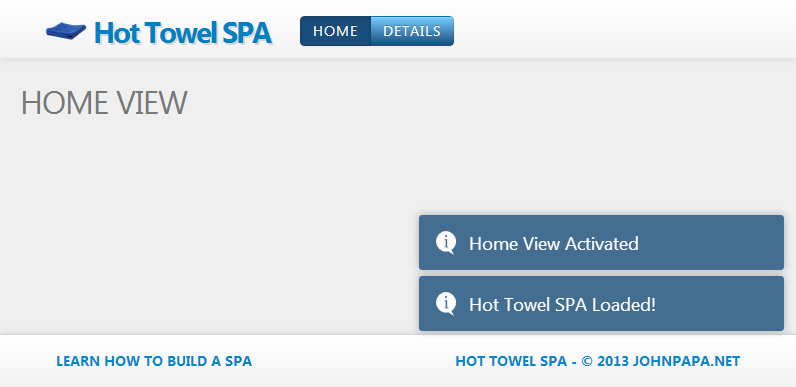
Most apps needs a way to tell the user when something happens. We have a few styles of doing this: modal windows, non modal windows, and transient windows. Toastr (A library I wrote) helps handle the transient windows. It is ideal for telling the user when something happened and then it fades away into the night. It’s easy to use and very adaptable too.

3-13-2013 11-04-13 PM

toastr.info('Data saved successfully');

I also use toastr as a logging mechanism while debugging (see Hot Towel for an example implementation).

Dates

Dates can really suck. Moment.js makes dates suck less. If you get data that contains a date, but that date is in some oddball format, Moment can help convert it to whatever format you want. It’s easy to use and handles manipulation of the dates too. Add days, minutes, years, calculate the difference in dates, convert date formats, format dates to strings: Yep, it’s in there.

// Convert the start variable to a UTC date
// Then format it
var x = moment.utc(start).format('ddd hh:mm a');

It’s a small library with a singular focus. But that’s a good thing, as it does this one thing very well. I am hard-pressed to think of an app I have been involved with that did not have dates in it. I’ll gladly use moment in all future apps.

Styling

I’m no designer, so I will take all the help I can get with any design, including icons. Font Awesome helps add some simple icons that you can add easily to your app via CSS. For example, the following HTML adds a spinner icon.

<i class="icon-spinner icon-spin icon-2x pull-left"></i>

Simply put, Font Awesome makes it simple to add icons for anywhere you need them, including buttons or spinners.
3-13-2013 10-52-17 PM

What about styles themselves? You may be used to jQuery UI or some other widget library, but for simple styles, layout, and responsive design I prefer Twitter Bootstrap. It uses CSS to style most elements, is easily configurable, and has some more complex components that are JavaScript based. Basically, Bootstrap allowed me to focus on writing the code for my app, and not worry so much about the design elements. I still customized some of the styles, but its ideal for getting off the ground quickly.

The Server Players

to round things out, here are the key players on the server. I won;t go into each of these deeply as the focus of this course is on the client. The key takeaway here is that you can build our back-end however you like as long as you expose the HTTP services (ideally serving JSON).

  • Breeze Web API components
  • Entity Framework
  • ASP.NET Web API
  • ASP.NET Razor
  • ASP.NET
  • ASP.NET Web Optimization

SPA Jump-Start Series

tags: hottowel javascript pluralsight SPA

37 comments Hide comments

Mathew on said:

Hey John,
Can’t wait, been checking pluralsight everyday. I have a SPA built using the methods described in your existing SPA course on pluralsight and I really enjoy it’s performance. However, as is grows, it starts to create a lot of files. It got me thinking, what if you mixed SPA’s MVVM with MVC? Just so you could spit out different SPA’s. For example, the stack overflow people have StackExchange guys have multiple different Q&A sites (StackOverflow, Tex, etc) with similar formats, However, you may want to render different CSS and some different Javascript files, maybe a different page structure, and keep some of the same shared logic behind. I know it really isn’t true SPA, more like a SPA factory.. MV(MVVM)C… The name will need to re looked at :) .

Jim on said:

The sample code from the SPA HotTowel JumpStart (Speakers) application, is it available for download and where?
Thanks

Steve on said:

I switched to Silverlight, Ria & Prism two years ago which has been very frustrating & time consuming.
After seeing Johns great work on SPA’s I’m back on the html, JavaScript & MVC trail. Good work.

Damian on said:

Do you have any plans on producing a TypeScript based version of HotTowel? It would be very useful for those of us trying to get started with both SPA and TypeScript.

Mick on said:

Hi John – I’m watching your new video now. I’m wondering – when would you use DTOs in your SPAs, if ever? Also – does Breeze eliminate the need for the KO mapping plugin? If not, when would you use both? Thanks for your time?

    John on said:

    Mick – My personal preference is to avoid DTO’s. I find they mapping and extra code is rarely needed in my apps. I’ve heard the arguments and in my experience I have been able to avoid them just fine. Can you use them? Sure. Breeze can work with DTO’s or without. You just expose whatever web api’s you want to Breeze.

Erwin on said:

Hi

I’ve just finished your pluralsight course, is awesome, thanks for that.

I have a couple of questions left.

How would you handle more data, lets say you have thousands of row in your database and you need to display it in bunches using paging, filters or searches.

Would you cache the paged/filtered/searched data?
As the cached data grows while user is navigating in the application, Do I need to worry about the size of the cached data? How much is too much?

Regards

Erwin

    John on said:

    Erwin – Thanks, I am glad that you enjoyed it. It depends, but there are a few options to think about. You could bring back all the data in chunks (say 100 at a time) and virtualize them in a datagrid. Then cache the data on the client. Or you could get the 20 for the page, then make repeated calls when you page (more chatty and a little less responsive). Or you could use a datagrid that handles it all for you. The bottom line is you need to determine the right way for you, that balances getting the data and caching it.

Patrick on said:

Isn’t one of the core functions of Breeze the ability to cache and return paginated data ? [edited]

    John on said:

    Patrick,

    Yes, but that means get the data up front, which is one of the options. Breeze can cache the data and then you can request pages from it, too, yes. That means you would get, say, 1000 rows from the server first, cache it, then page locally.

Sop Killen on said:

Hi John,
Is Q’s promise better than jQuery’s?
Or did you select Q because of Breeze?

    John on said:

    Sop,

    I use Q with Breeze because that is what Breeze chose for promises. I tried Q on its own for promises and I have had no problems at all. Which is different than my experience with jQuery’s promises. If all I wanted was promises, I would give heavy consideration to Q as it works great and is much smaller than jQuery.

    As a side note – I believe the only reason jQuery is in Breeze is for Ajax. Breeze doesn’t use it for DOM manipulation, promises, or anything except Ajax.

      TJ on said:

      Hi
      I have som problems with the syncing part when calling primeData then boot().
      What i think is strange is that i can se the “Hot towel SPA loaded!” message before the primeData is loaded.
      Some kind of syncing is working because Durandal is not switching page before primeData is finished loaded.

       function loading() {
      
                  var query = breeze.EntityQuery
                  .from('Rekvirenter')
                  .select('Pk_Rekvirent');
      
                  return dataContext.manager.executeQuery(query)
                  .then(querySucceeded)
                  .fail(queryFailed);
              };        
      
              //#region Internal Methods
              function activate() {
      
                  //  dataContext.loadSomePreData();
                  //return boot();
                  //return dataContext.loadSomePreData()
                  //return dataContext.loadSomePreData()
                  return loading()
                  .then(boot())
                  .fail(failedInit);
              };
      
              function boot() {      
                  router.mapNav('home');
                  router.mapNav('details');
                  router.mapNav('apekatt');
                  log('Hot Towel SPA Loaded!', null, true);       
                  
                  return router.activate('home');
              }
      
        John on said:

        TJ – Sounds like the promise is not being returned somewhere. Check, the querySucceeded method. You can post to StackOverflow too.

          TJ on said:

          Ok, thanks for the answer. I will try StackOverflow if this final reply don’t solve the problem.

          My querySuceeded function:
          function querySucceeded(data) {
          logger.log(“Finished loaded”, data, null, true);

          };
          To be clear. Everything is working fine except it is caling boot() before loading() is finished. But Durandal seems to wait for boot() and loading() to be finished before switching the page.

          I am starting to think it is supposed to work like that.

          TJ

Dor on said:

Hi John,

Great course at Pluralsight, Learned a lot from it.
One question, If lets say for the sessions view, I want to add a search sidebar on the left that will contain a form with inputs that will define the search query, and also paging control. I want that on change of every input, the results (session) pane will refresh (with the enterance transition).

Now, I want this sidebar to appear only when the sessions view is visible.

When I implement it now, I have to defined the sidebar inside the sessions view, which causes it to reappear every time I change a value in its search form.

I hope I’m clear.
Thanks

    John on said:

    Dor – Consider creating a view that contains the search results and the search panel. So 3 views: sessionsContainer, searchPanel, resultsPanel (bad names, but you get it). Then when you press a button to search nt he search panel you update the view on the right however you want to, without changing the search panel.

James Fleming on said:

John,
I have been following all of your great work creating the PluralSight training. Thanks, you’ve been a real inspiration. The Jumpstart app has been great and I’ve been refactoring my sight to take advantage of all of the goodness you’ve shared with Durandal, Bootstrap, Breeze, etc. Everything in my conversion was coming along quite well, but I’ve hit a snag when trying to do some redirects using an HttpResponseMessage. The router doesn’t seem to like what I’m intending to do and I only get a 302 response that the link was found, but no window.location.redirect.

Any thoughts on how Durandal can allow Redirects? It’s required for 3rd party authentication.

var url = _linkedInProvider.OAuthOperations.BuildAuthenticateUrl(requestToken.Value, null);
var response = Request.CreateResponse(HttpStatusCode.Redirect);
response.Headers.Location = new Uri(Request.RequestUri, url);
return response;

    James Fleming on said:

    Sure. I put the issue up on StackOverflow http://stackoverflow.com/questions/16027050/server-redirect-issue-with-durandal

    The short of it is that I was able to call a get method that returned a redirect to LinkedIn. Now it seems that with the inclusion of Durandal, Breeze, etc from above that Redirect will no longer happen. I’m starting to think the change may perhaps be at the router config – when I try to post to that api from a simple html page I get a similar behavior – the LinkedIn domain gets stripped off and the path is pushed into a relative path. Yet if I return the redirect path as a string or look in the header, the correct location is there. So I’ve verified the data I’m given back from the server is correct, it is the subsequent request that gets fouled.

Rob Eisenberg on said:

Ok. The details aren’t coming up for me in SO. However, if you are getting the redirect response back through ajax, I wouldn’t expect the browser to handle that automatically. I believe you would need to handle that in your own JavaScript code. This may require using an absolute url, so you might want to get that from the header.

    James Fleming on said:

    @Rob: thanks I was (finally) able to resolve this by taking a different approach.Don’t understand why the redirect behaves differently after I’ve added Durandal, Breeze, etc. My server side & client side JS was identical. The solution was to put the absolute url as an anchor tag which was dynamically built on the page activate event. The old version used a form post using get, but now that approach gives me no love.

      Rob Eisenberg on said:

      Actually, that’s the missing piece of information ;) Sammy captures all form get/posts. Our router is built on top of sammy (for now). That is probably the root of the problem. I tried to disable that in Durandal’s router…perhaps there’s something wrong with my code in the way I’m doing it. (It’s not really a documented feature of Sammy…)

      Glad you found a solution!

        James Fleming on said:

        @Rob: Thanks! Good to know. The REAL solution though, was to stop banging my head against my computer and bang it against my pillow. A little rest and then some clarity emerged.

        I put the form post on a new html page and it didn’t work, tried a hyperlink and it did. From there I just changed the order of events on how I got to the LinkedIn auth page and I’m good to go.

        Didn’t know it was Sammy who was fouling up my plain old form posts. Thanks for the tip!

Leave a Reply


(required)


(required)


*